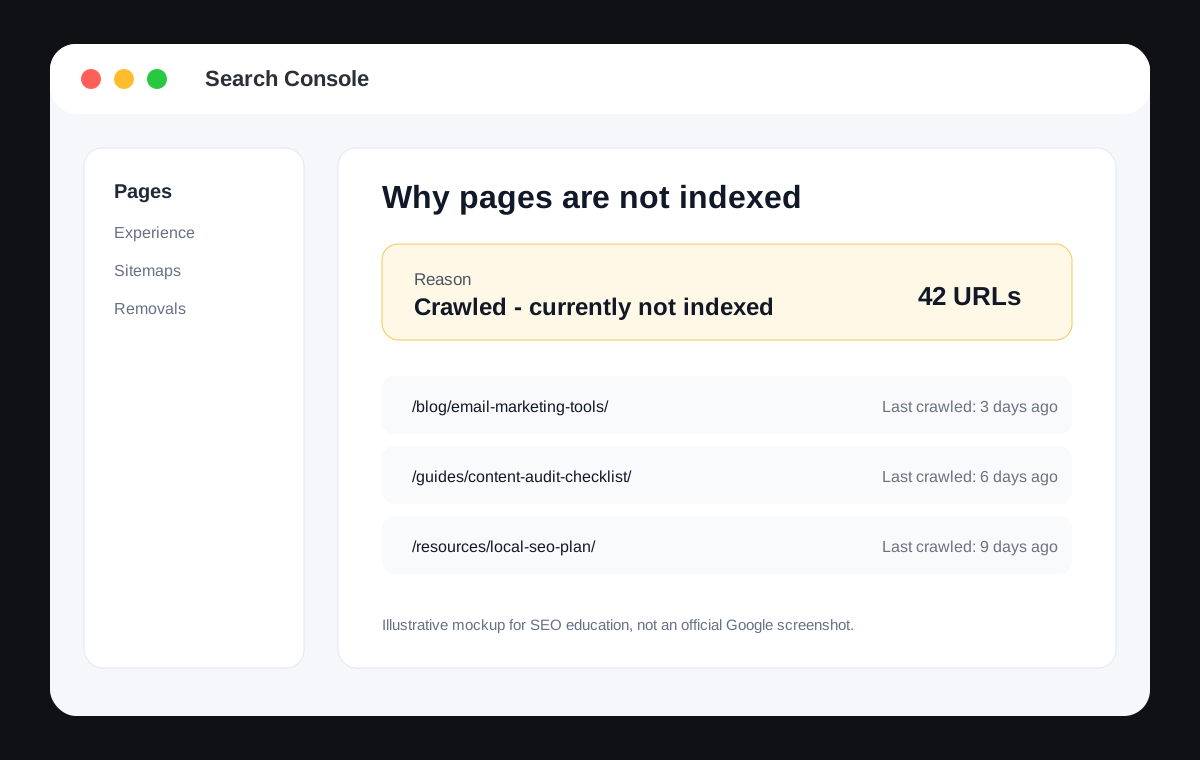
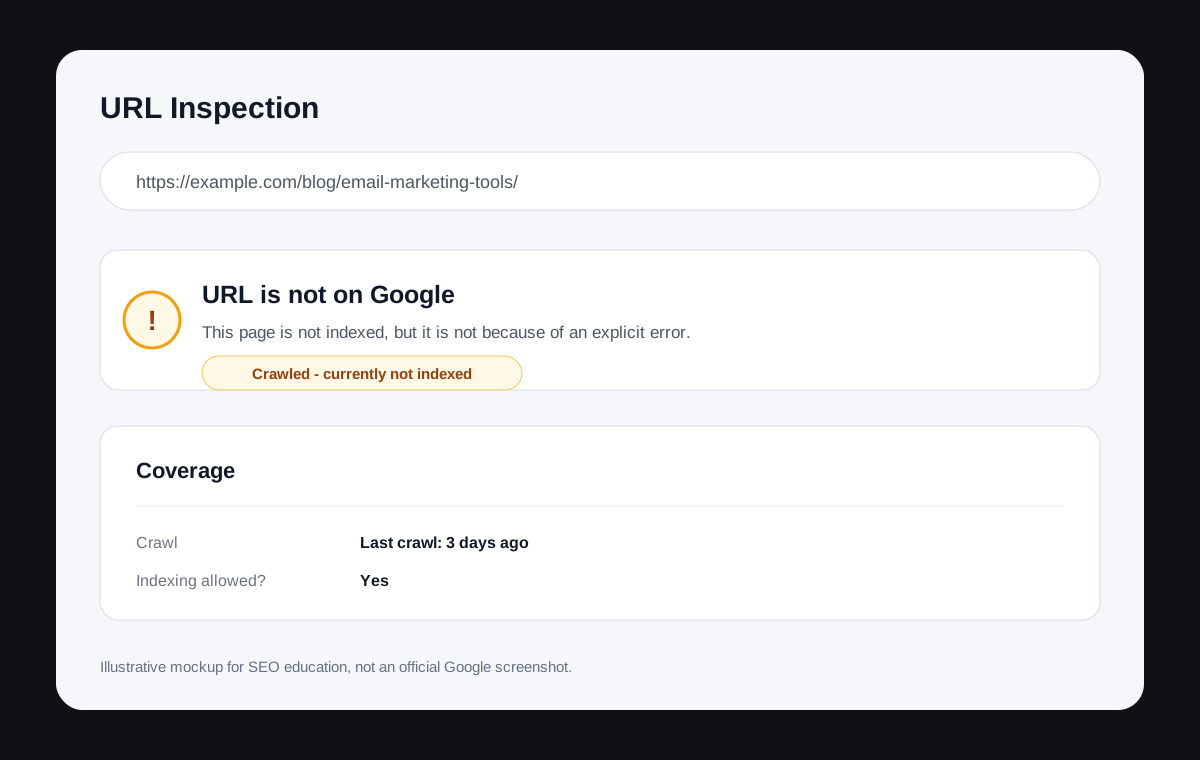
If you have ever opened Google Search Console and seen pages sitting under "Crawled - currently not indexed," you already know the frustration. Google found your page, visited it, read it, and then walked away. No index. No rankings. No traffic.
I am Ali Raza, SEO Specialist, Web Developer, and founder of TheStackManual.com. Across 30+ full SEO audits for blogs, SaaS sites, ecommerce stores, and local business websites, this issue appeared more than any other single SEO problem.
This guide explains why it happens, what our audit data shows, and how to fix it using a practical diagnosis workflow and free SEO tools.
Quick Answer
"Crawled - currently not indexed" means Google visited your page and analyzed it, but decided it was not valuable enough to include in its search index. It is not a penalty. It is a quality filter.
| Root Cause | % of Audited Sites Affected |
|---|---|
| Thin or shallow content | 73% |
| Weak or missing internal links | 63% |
| Poor search intent alignment | 57% |
| Duplicate or overlapping content | 47% |
| Canonical tag misconfiguration | 37% |
| Crawl budget waste on low-value URLs | 27% |
| Unedited AI-generated content | 23% |
The fix is almost never only technical. It is usually about giving Google a clearer reason to index the page through better content, stronger internal links, cleaner intent, and fewer low-value URLs.
Why Google Has Become More Selective
Google does not index everything it crawls. Since 2022, AI-generated content, programmatic SEO, and content farms have pushed Google to apply stricter quality filters at the indexing stage.
Google's helpful content systems evaluate content at a sitewide level, not only page by page. If your site has a pattern of low-quality pages, Google becomes more selective about indexing everything on that site, including pages that might otherwise be acceptable.
This is the part many guides miss: indexing decisions are not made in isolation. Google looks at your whole site before deciding whether an individual page deserves to be in the index.
What Our Audit Data Shows
Across 30+ audits, thin content was almost always present. In 73% of audited sites with indexing issues, the unindexed pages had fewer than 450 words and no meaningful depth, only surface-level information available on hundreds of other pages.
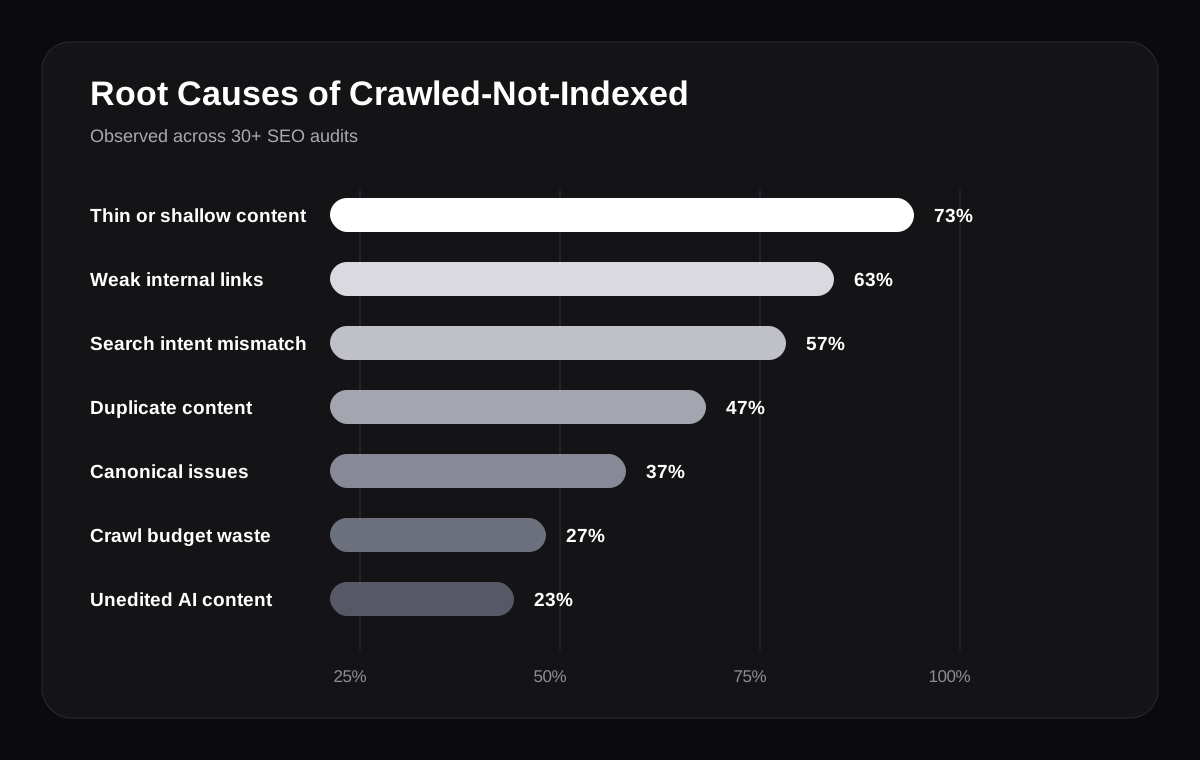
Internal linking was the most overlooked fix. In 63% of affected sites, unindexed pages had zero internal links pointing to them. These pages were effectively invisible to Google's crawlers, even when they were listed in the XML sitemap.
Intent mismatch was also underdiagnosed. In 57% of cases, the content did not match what searchers actually wanted. The page existed to rank, not to help, and Google noticed.
Canonical issues were surprisingly common too. In 37% of sites, at least one canonical tag pointed to the wrong URL, often because of a WordPress plugin setting, theme default, or developer mistake during migration.
Common Symptoms
- Pages show "Crawled - currently not indexed" in Google Search Console.
- Pages do not appear in Google even with a site:yourdomain.com/page-url search.
- Google crawled the page recently in URL Inspection but still has not indexed it.
- The page has no noindex tag and is not blocked by robots.txt.
- The page is in your XML sitemap but still not indexed.
- Similar pages on your site are indexed, but this page is not.
- You have clicked Request Indexing multiple times and nothing changes.
The 8 Real Causes
1. Thin or Shallow Content
This is the number one cause, present in 73% of audited sites with indexing problems. Google wants to index pages that genuinely answer questions or solve problems. A 200-word generic page, or a bullet list with no explanation, gives Google very little to work with.
Use the Thin Content Checker to scan your site. Any informational page under 400 words deserves scrutiny, but the bigger question is whether the page says something useful that 100 other pages do not already say better.
2. Weak or Missing Internal Links
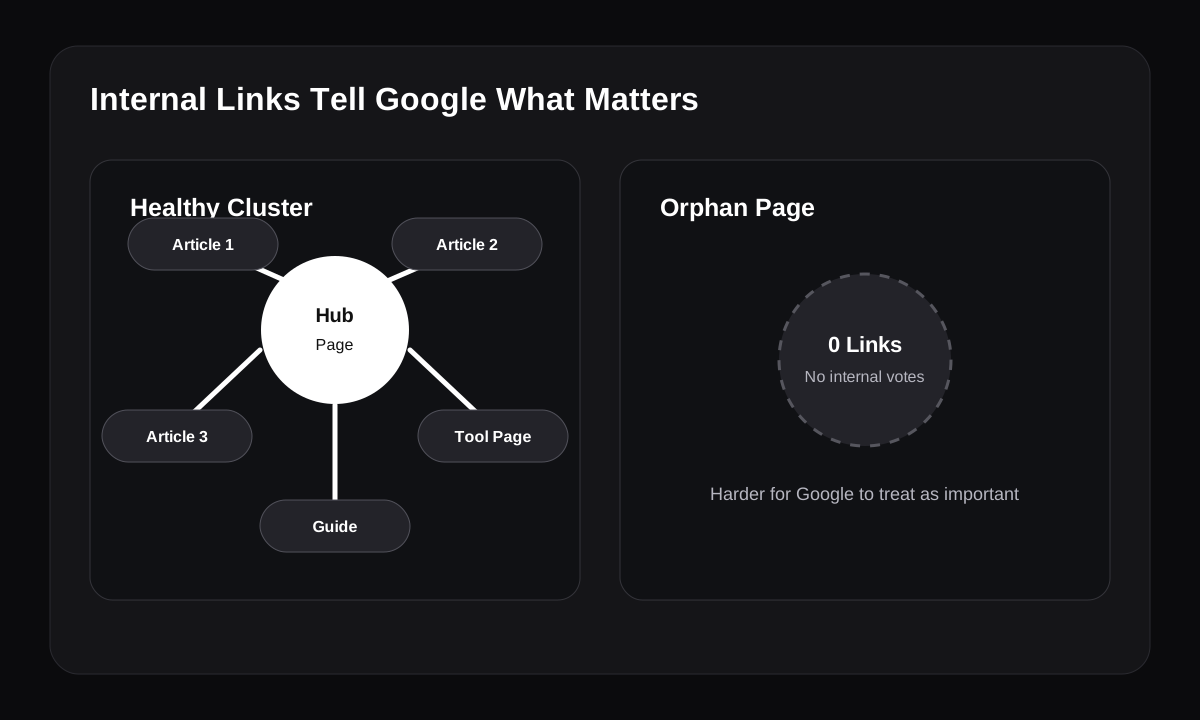
Internal links help Google understand site structure and page importance. If no other page on your site links to a URL, Google may treat that URL as unimportant, even if the content itself is decent.
Use the Internal Linking Suggestion Tool to find pages with few or no internal links. Add links from the homepage, pillar posts, category pages, and relevant articles using descriptive anchor text.
3. Search Intent Mismatch
If your page targets a keyword but does not deliver what searchers actually want, Google has no reason to index it. For example, a concept guide targeting a keyword where every ranking result is a product comparison will usually struggle.
Search the target keyword and study the top results. Match the format, depth, and user expectation before rewriting. The Keyword Intent Analyzer can help you check this before writing or updating the page.
4. Duplicate or Overlapping Content
This includes duplicate content on your own site and generic content that duplicates what already exists across the web. City pages with only the location name swapped, repeated service pages, and keyword cannibalization patterns often fall into this bucket.
Search site:yourdomain.com plus your target keyword. If multiple pages are competing for the same term or saying the same thing in slightly different words, consolidate them into one stronger page.
5. Canonical Tag Misconfiguration
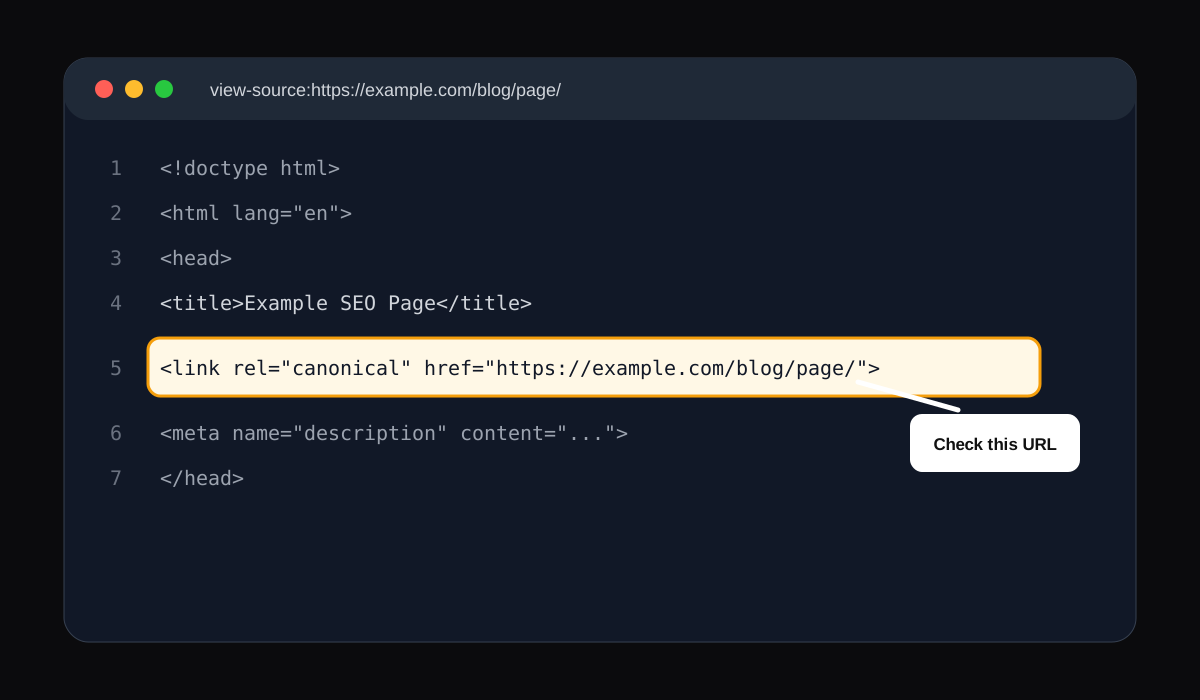
A canonical tag tells Google which URL is the authoritative version. If the canonical points to your homepage, a category page, an archive, or another post, Google may ignore the page you want indexed.
View the page source and search for rel="canonical". The canonical URL should normally match the page you are on. Use the Canonical URL Checker to confirm this across multiple pages.
6. Crawl Budget Waste
Large ecommerce and content sites often waste crawl budget on filter URLs, tag archives, internal search results, pagination, or parameter URLs. When Google spends time on low-value URLs, important pages may be crawled less often and indexed more slowly.
Review Google Search Console Crawl Stats and identify the URLs Google crawls most. Block, noindex, canonicalize, or remove low-value URL patterns where appropriate. The Robots.txt Checker can help confirm important pages are not blocked.
7. Orphan Pages
An orphan page exists on your site but has zero internal links pointing to it. It may be in the sitemap, and Google may crawl it through that sitemap, but the lack of links tells Google it is not important.
Crawl your site with a crawler such as Screaming Frog and filter for pages with 0 inlinks. Cross-reference those pages against your unindexed URLs in Google Search Console.
8. Unedited AI-Generated Content
AI-assisted content published without editing, fact-checking, examples, or human insight often sounds coherent but adds little value. Google does not need another interchangeable summary of information already available elsewhere.
Rewrite thin AI-assisted pages with real examples, data, screenshots, first-hand observations, and a clear point of view.
Diagnosis Checklist
- Confirm the page shows "Crawled - currently not indexed" in Google Search Console.
- Check robots.txt and confirm the page is not accidentally blocked.
- Check for a noindex tag in the HTML head or HTTP headers.
- Check the canonical tag and confirm it points to this exact URL.
- Count internal links pointing to this page.
- Check word count and content depth.
- Compare the page to the top 10 SERP results for format, depth, and intent.
- Search site:yourdomain.com plus the keyword to find cannibalization.
- Check Crawl Stats for low-value URLs wasting crawl budget.
- Run the URL through Google's URL Inspection Tool.
- Ask honestly whether you would recommend the page if it were not yours.
Real Case Study: SaaS Blog, 42 of 60 Posts Not Indexed
A SaaS founder reached out after 42 of their 60 blog posts showed "Crawled - currently not indexed" in Google Search Console. They had published consistently for eight months, submitted their sitemap, and optimized title tags and meta descriptions.
| Issue | Pages Affected |
|---|---|
| Under 500 words | 31 of 42 |
| Zero internal links pointing to the page | 28 of 42 |
| Overlapping keyword targets | 19 of 42 |
| No real examples, data, or original insight | 38 of 42 |
| No author bio or E-E-A-T signals | 42 of 42 |
The content was not terrible, but it was not better than what already existed. We rewrote the 10 highest-priority posts, added original examples and screenshots, built 4-5 internal links to each, merged overlapping posts, and noindexed or deleted pages with no salvageable value.
| Timeframe | Result |
|---|---|
| Week 3 | 5 of 10 rewritten posts indexed |
| Week 5 | 8 of 10 rewritten posts indexed |
| Week 7 | 24 total posts indexed, up from 18 |
| Week 8 | Organic traffic up 38% vs prior period |
| Week 12 | Site ranking for 11 target keywords it had never ranked for |
How To Fix It Step By Step
- Export your unindexed pages from Google Search Console > Pages > Why pages are not indexed > Crawled - currently not indexed.
- Prioritize only pages that target real keywords, drive business value, or support conversions.
- Audit content quality and rewrite pages that are generic, shallow, or misaligned with search intent.
- Add internal links from at least 3-5 relevant existing pages using descriptive anchor text.
- Consolidate duplicate or overlapping pages, redirecting weaker URLs into the strongest resource.
- Add E-E-A-T signals: a real author bio, examples from experience, original observations, citations, and screenshots where useful.
- Fix technical issues with canonical tags, robots.txt, sitemap inclusion, and meta tags.
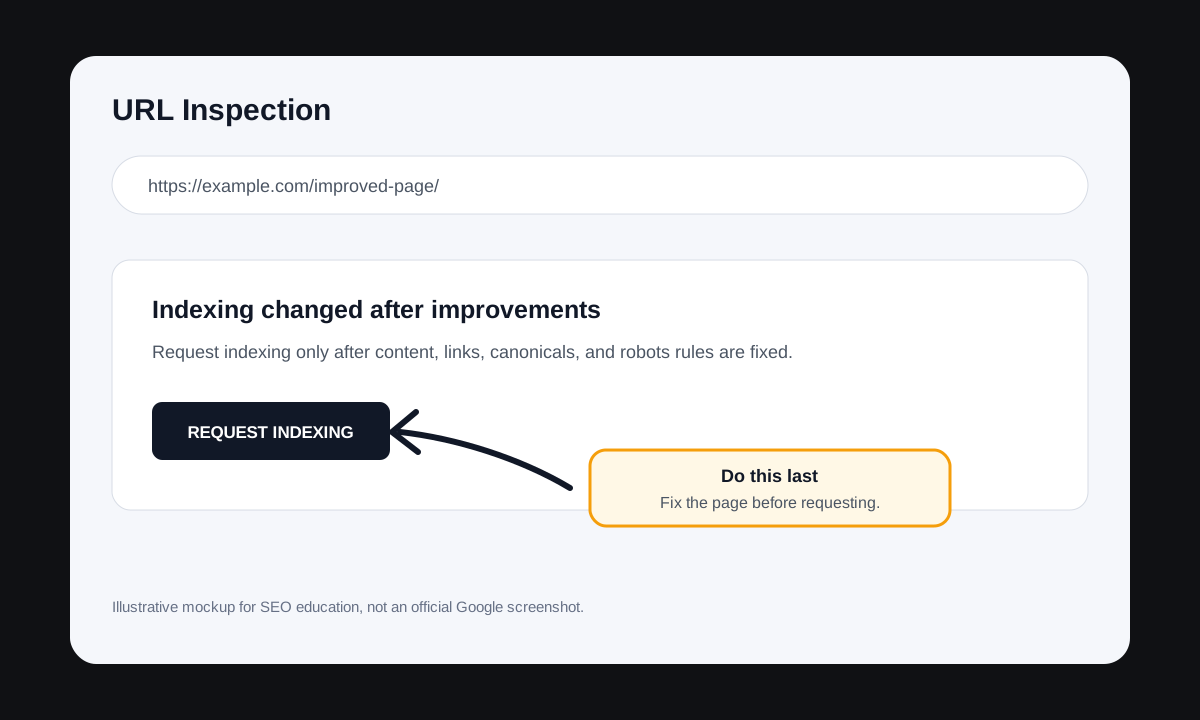
- Request indexing only after making genuine improvements.
- Monitor in Google Search Console for 2-4 weeks, then reassess pages that remain unindexed after 6 weeks.
Recovery Timeline
| Timeframe | What to Do or Expect |
|---|---|
| Week 1-2 | Audit, rewrite, and improve priority pages. |
| Week 2-3 | Fix internal linking and consolidate duplicate content. |
| Week 3-4 | Request indexing for improved pages. |
| Week 4-6 | Strong improvements begin getting indexed. |
| Week 6-10 | Rankings start to appear for indexed pages. |
| Week 10-14 | Traffic increases become measurable. |
5 Mistakes That Keep Pages Stuck
- Requesting indexing on unchanged content.
- Treating this as a purely technical problem.
- Publishing more low-quality content while existing content is not indexed.
- Merging unrelated pages only to hit a word count.
- Skipping internal linking because the content seems good.
How To Prevent This Going Forward
- Write to a depth standard, not a word count target.
- Research SERP intent before writing.
- Add internal links to every new page on the day it is published.
- Run a Google Search Console audit monthly.
- Do not publish pages that would not help a real person.
- Edit AI-assisted content with real examples, perspective, and structure before publishing.
Tools to Investigate Why a Page Isn't Indexed
When a page remains stuck in "Crawled - currently not indexed," the cause is usually related to content quality, internal linking, search intent, or technical signals. These tools can help you pinpoint the problem:
- Thin Content Checker - Analyze content depth.
- Internal Linking Suggestion Tool - Find linking gaps.
- Keyword Intent Analyzer - Compare content against search intent.
- Canonical URL Checker - Detect canonicalization issues.
- Meta Tag Analyzer - Review on-page metadata.
- Sitemap Checker - Validate sitemap inclusion.
- Robots.txt Checker - Check crawl accessibility.
Conclusion
"Crawled - currently not indexed" is Google telling you it does not see enough value in the page to serve it to searchers. The answer is not a technical trick or one more indexing request. The answer is making the page more specific, useful, linked, and trustworthy than what is already out there.
Start by exporting your affected URLs, diagnosing the root cause for each priority page, using the free tools at TheStackManual.com, then fixing content and links before requesting indexing.
SEO Specialist | WordPress & React Developer | Founder of TheStackManual.com
30+ SEO audits delivered. 25+ free SEO tools built.
Next step
Use the free tool to check the issue, then improve the page before requesting indexing again.
Frequently Asked Questions
It means Google visited and analyzed your page but decided not to add it to the search index. It is a quality judgment, not automatically a penalty or technical error.
Discovered means Google knows the URL exists but has not crawled it yet. Crawled means Google did crawl it and actively chose not to index it, which is usually a harder problem to fix.
After meaningful improvements, many pages get indexed within 2-6 weeks. Sitewide quality issues can take 2-3 months because Google needs to recrawl and reassess patterns.
No. You can request indexing in Google Search Console, but Google makes the final decision. The reliable path is making the page genuinely better.
No. But very thin informational pages often fail because they do not provide enough depth or usefulness. Focus on value, examples, and completeness instead of word count alone.
Yes. Pages with zero internal links are often treated as unimportant. Relevant internal links from indexed pages can help Google discover and reassess the URL.
Yes, when those pages are genuinely low value. Removing or noindexing weak pages can improve the overall quality pattern Google sees across the site.
Yes, but it usually needs a real rewrite, better links, and stronger trust signals, not small edits or repeated indexing requests.
Yes. A large number of unindexed low-quality pages can signal weak overall site quality and make Google more selective about crawling and indexing other pages.
Yes, when it is generic, shallow, unedited, or interchangeable with existing pages. Google evaluates usefulness and quality regardless of how the content was produced.